
Your whole operation on one page.
Normal stays quiet. A problem lights up, tells the right person and stays in view until someone deals with it.
One page
Every site, machine and vehicle.
Quiet until it matters
Normal stays grey. A problem turns red.
The right person told
On WhatsApp or email, in seconds.
From your equipment to the right person.
Example readings from the demo site.
Connect
Sensors, gateways, machines and vehicle trackers send their readings to Prometrics.
Set up once
We list your sites, areas and machines. OI draws the screens from that list.
Act
A problem lights up, the right person is told, and it stays open until it is fixed.

Your operation, right now.
Normal stays quiet and grey. When something goes wrong it turns red, tells the right person on WhatsApp or email, and stays on screen until someone acknowledges it and it is resolved.
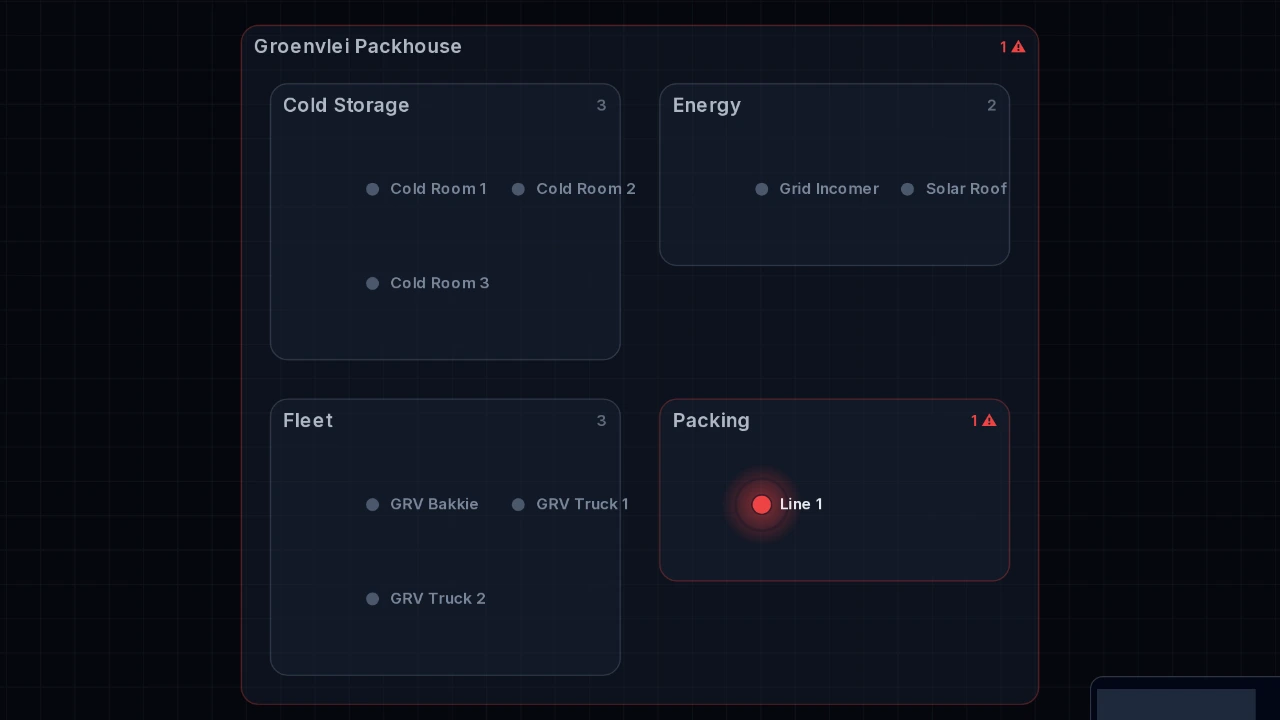
Everything on one page
Sites, areas, machines and vehicles, laid out from your own asset list.
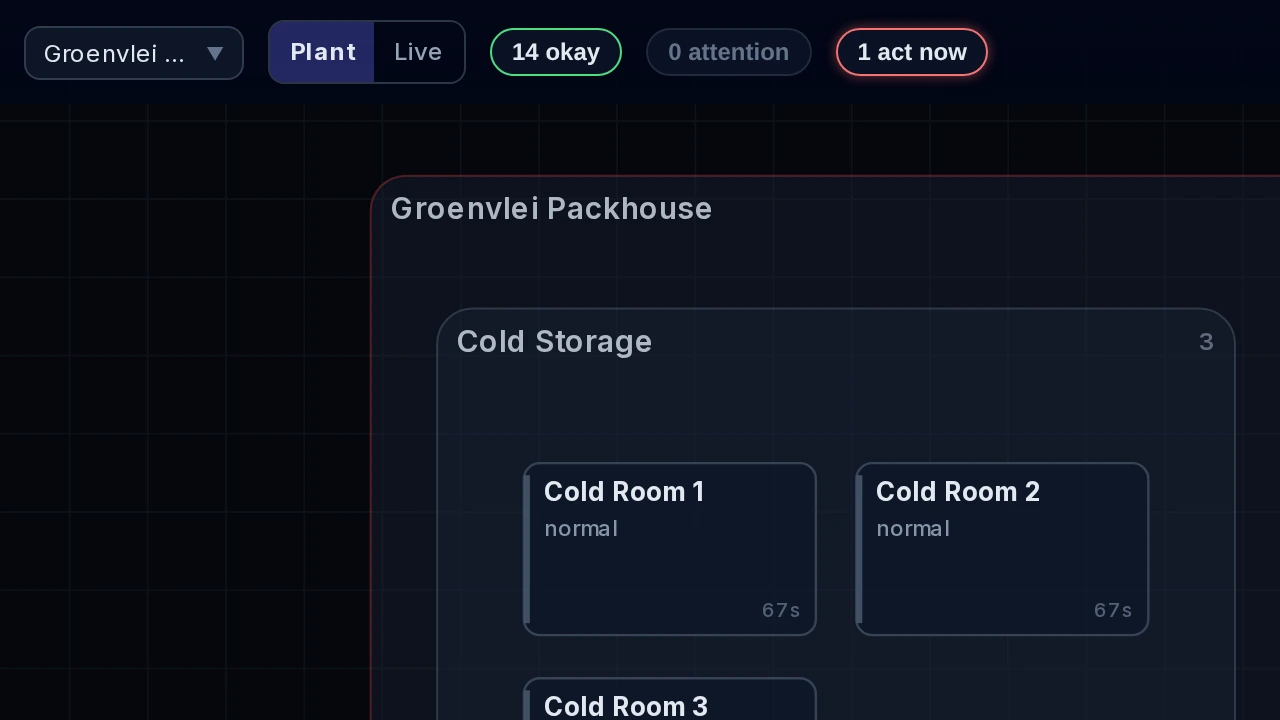
Act now, attention, okay
Three counts at the top of the screen show how the operation is doing.
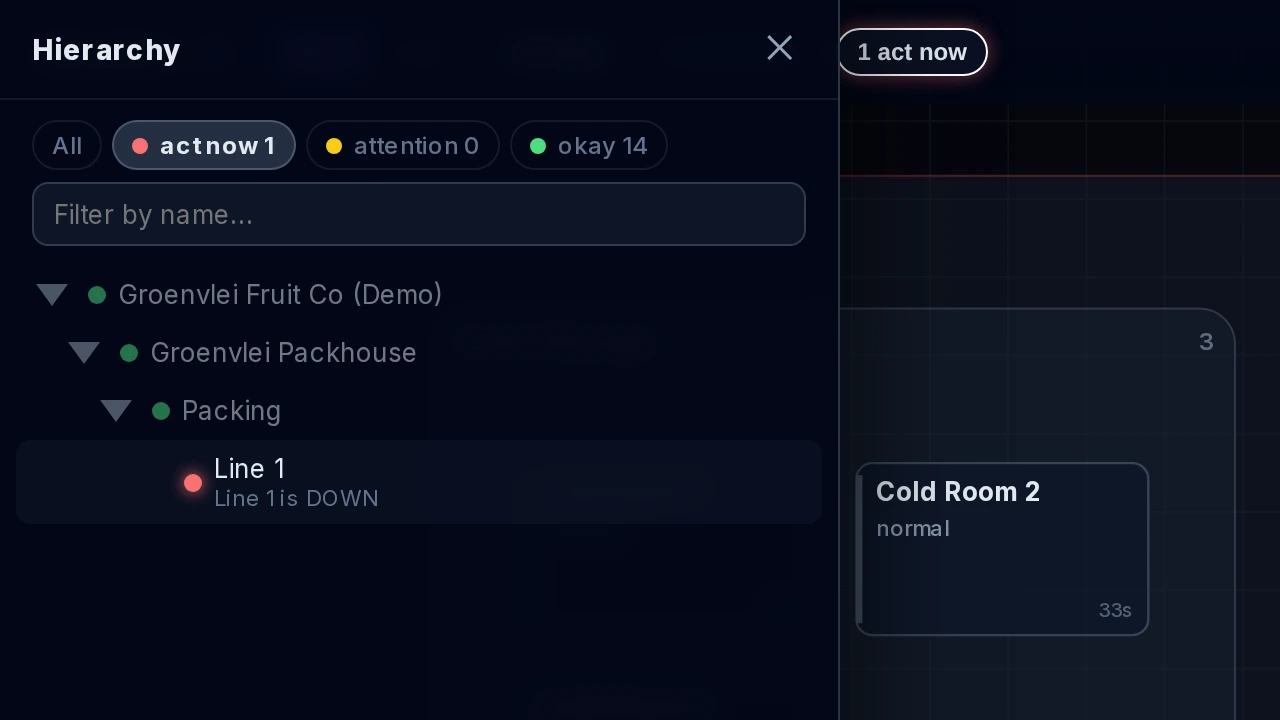
Alarms that stay open
An alarm stays in view until someone acknowledges it and it is resolved.
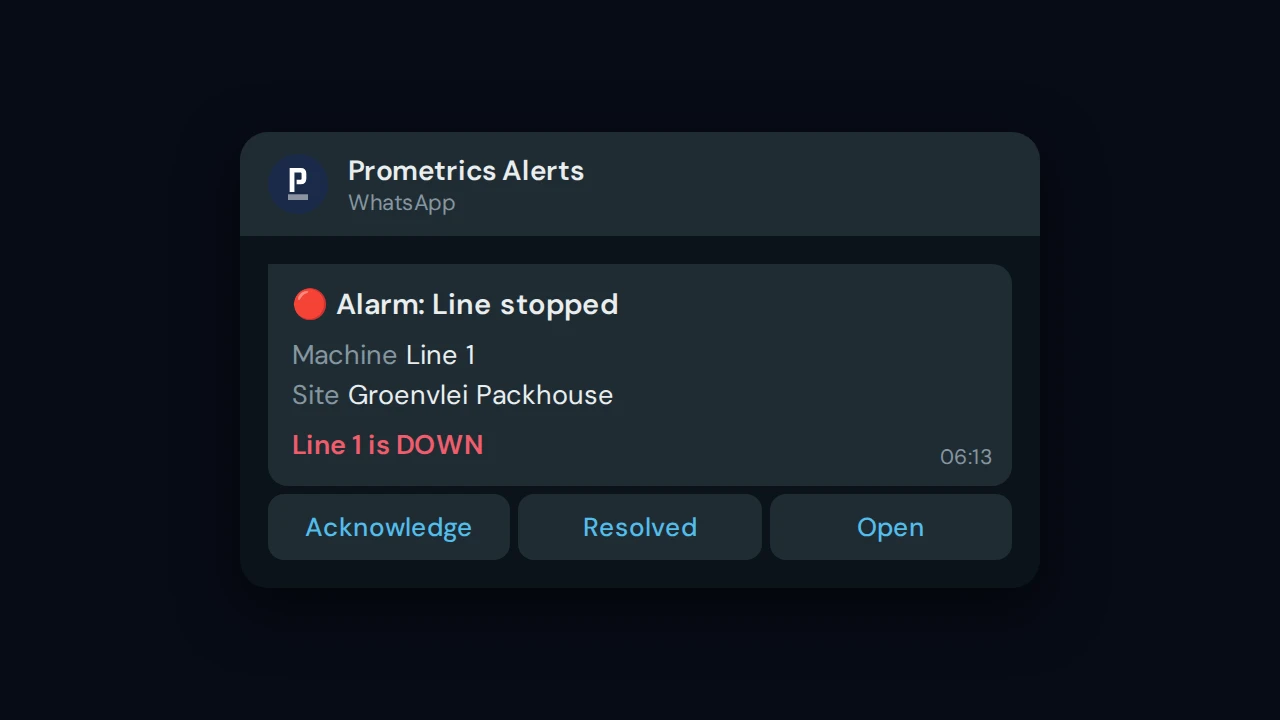
WhatsApp and email
The right person is told, and can acknowledge from the message itself.

Live map
Sites and vehicles on a map, with trails and a replay of past trips.
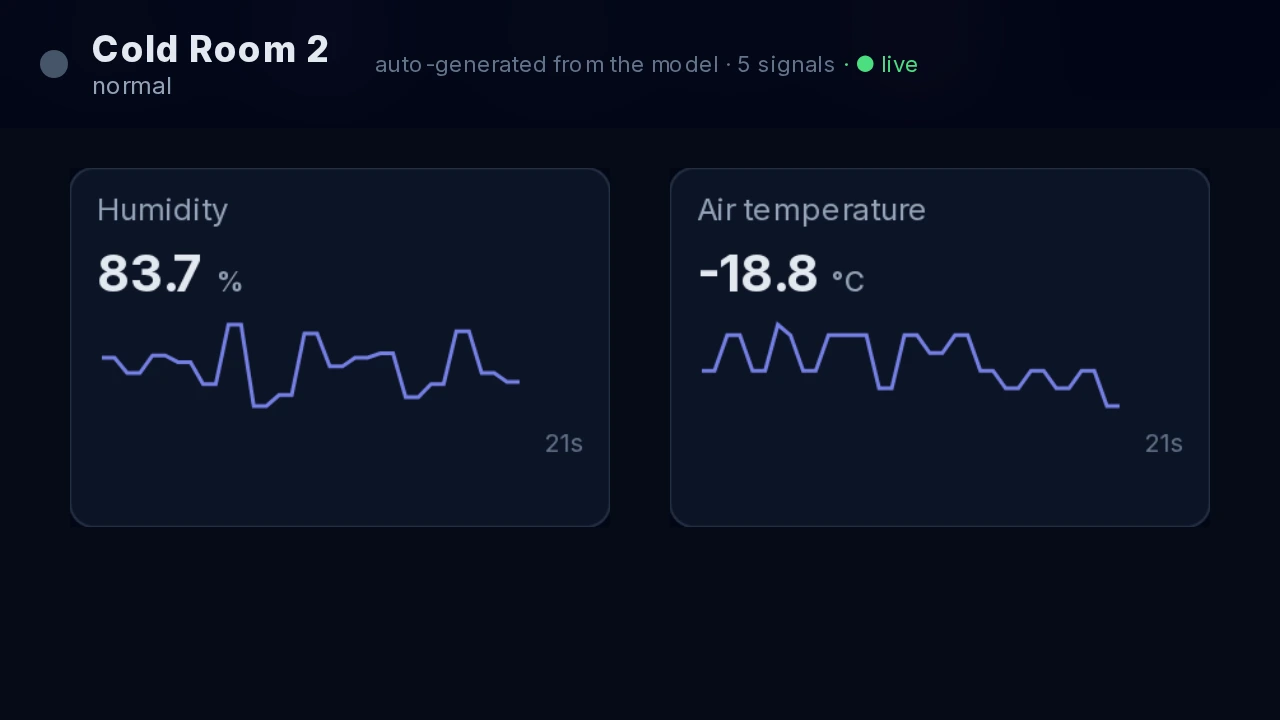
A screen for every machine
Double-click any machine for its own screen, drawn from its readings.
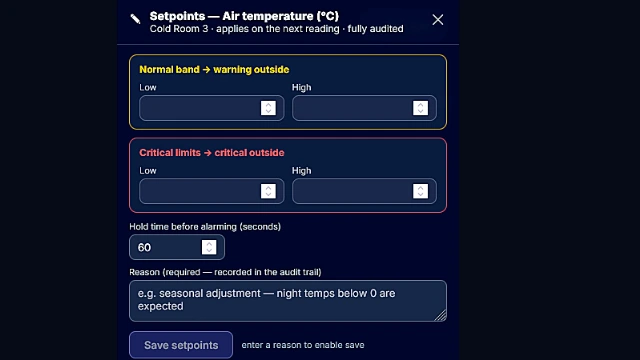
Limits with a record
Change a limit on screen. A reason is required and every change is kept.
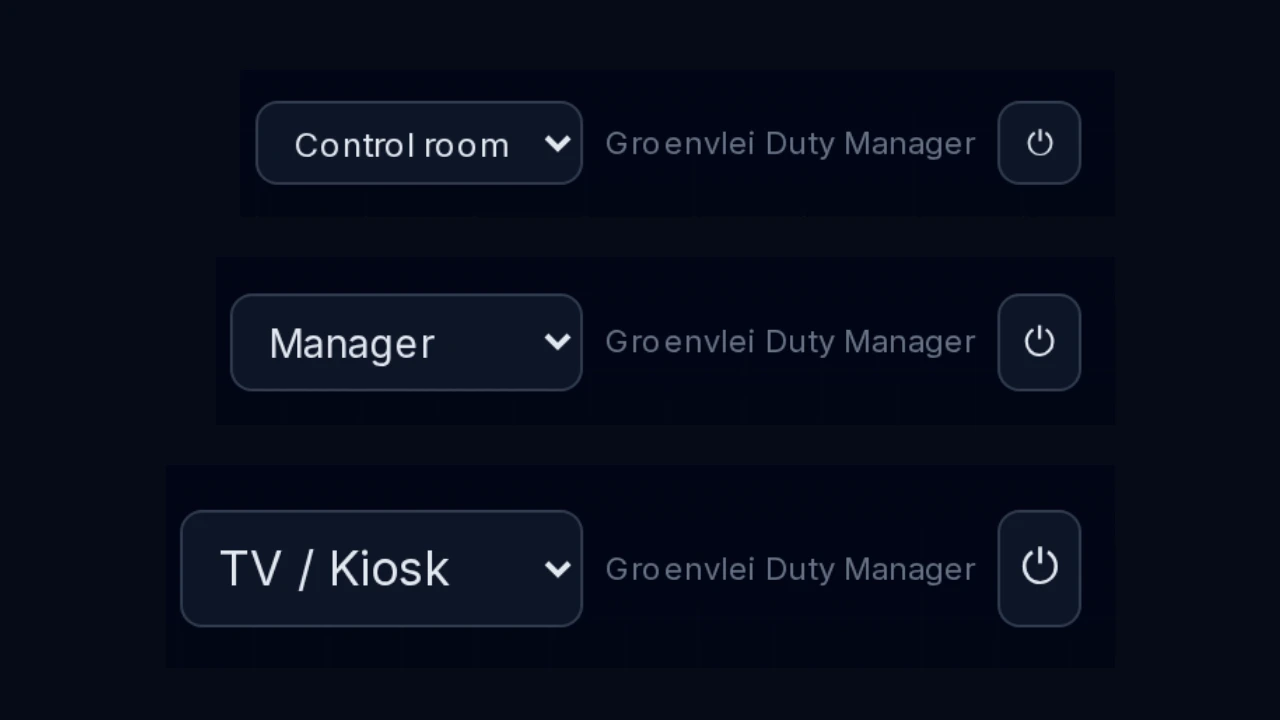
A layout for every role
Control room, manager and wall-TV layouts, one click apart.
Seen, sent and dealt with.

It lights up
The machine turns red on the plan and on the map, and the act-now count goes up. Everything normal stays grey.

The right person hears
A WhatsApp or email goes to the people on that alarm’s list, naming the site, the machine and what happened.

Someone takes it
One tap on Acknowledge, in the message or on the screen, and everyone can see it is being handled.
It closes
When it is fixed, it is resolved and a back-to-normal message goes out.
Two products. Two different jobs.
Prometrics OI
Your operation right now, on one page. Live status and alarms, so you can act.
Prometrics Insight
Your operation over time. Trends, totals and targets, so you can see what is changing.
View Prometrics Insight →Act on the moment in OI. Spot the pattern in Insight. Same data, same sign-in.
- Views
- Plant plan and live map of sites and vehicles; a screen for every machine
- Status
- Act now, attention and okay counts; normal stays grey, problems turn red
- Alarms
- Stay open until acknowledged and resolved; back-to-normal message when fixed
- Notifications
- WhatsApp and email to each alarm’s list; acknowledge from the message
- Trips
- Vehicle trails, with a replay of any past trip
- Layouts
- Control room, manager and wall TV; limits changed on screen with a required reason
See your own operation on one page.
Tell us about your sites, machines and vehicles. We will show you how they look in Prometrics OI.